Claude 接入本地大模型
.
Claude 接入本地大模型(无需API · 完全免费)|Claude + Ollama 本地部署教程
大家好,我是超哥。今天教大家把 Claude 接入本地 AI 大模型,通过 Ollama 实现完全本地运行,无需 API、完全免费,离线也能用,小白跟着做,也能轻松实现。下面我们开始教程。
一、下载安装 ollama
下载 Windows 版 ollama地址:https://ollama.com/download/windows
下载 Mac版 ollama地址:https://ollama.com/download/mac
二、下载 ollama AI 模型
模型列表:https://ollama.com/search
电脑里打开Powershell,执行下面下载命令。
下载 AI 模型模型命令(ollama pull 模型名称):
删除已下载 AI 模型命令(ollama rm 模型名称)::
三、下载安装 Claude Desktop 软件
下载地址:https://claude.com/download
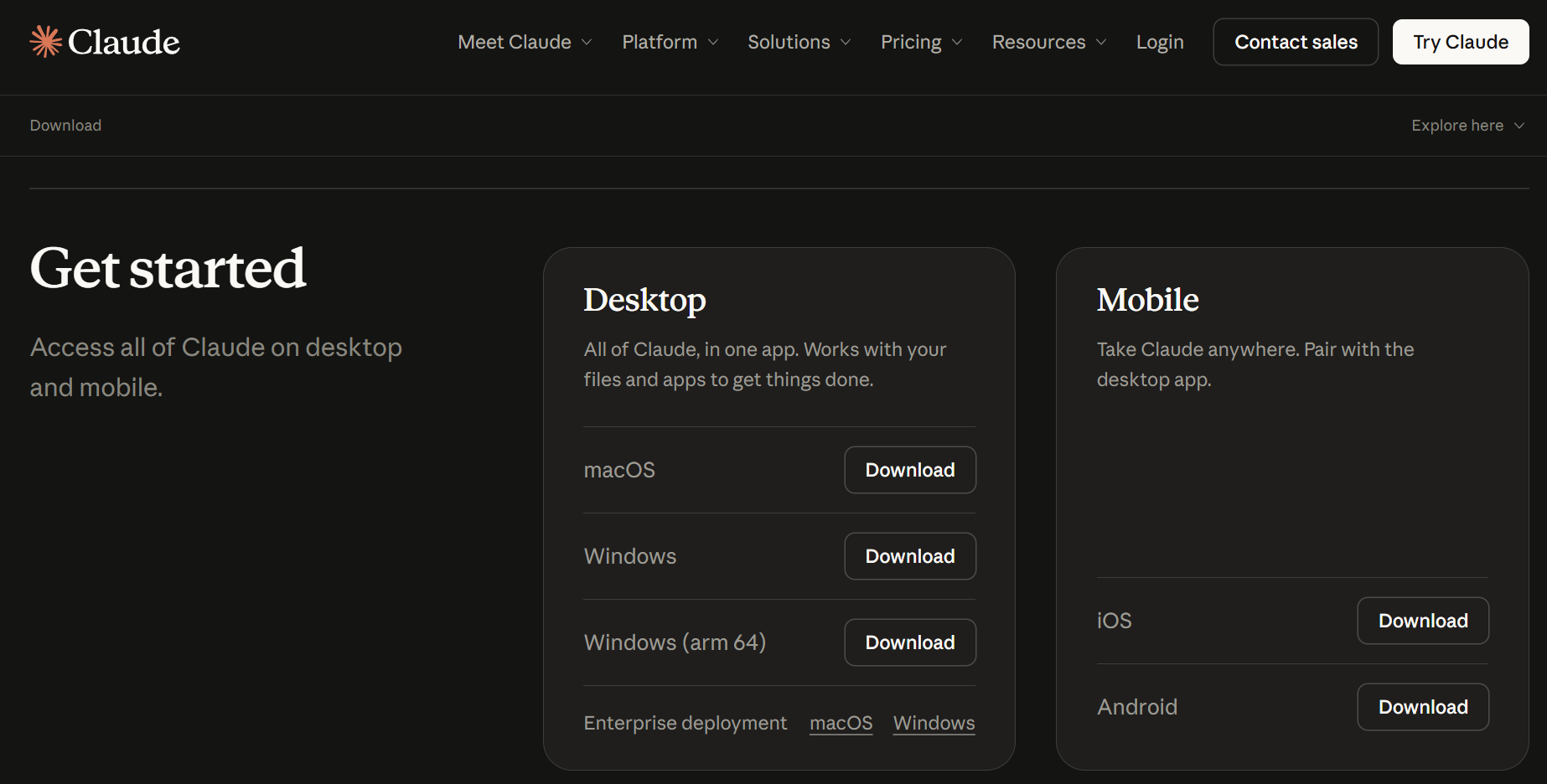
四、配置Claude Desktop
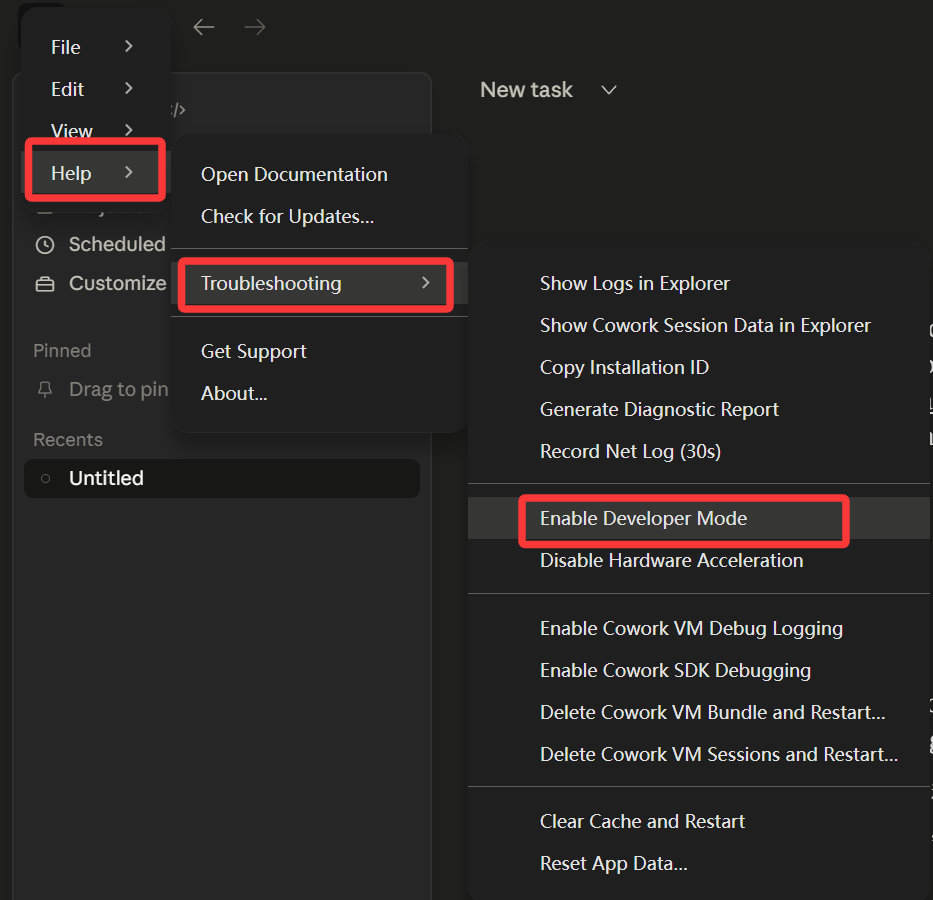
1. 开启开发者模式:Help -> Troubleshooting -> Enable Developer Mode
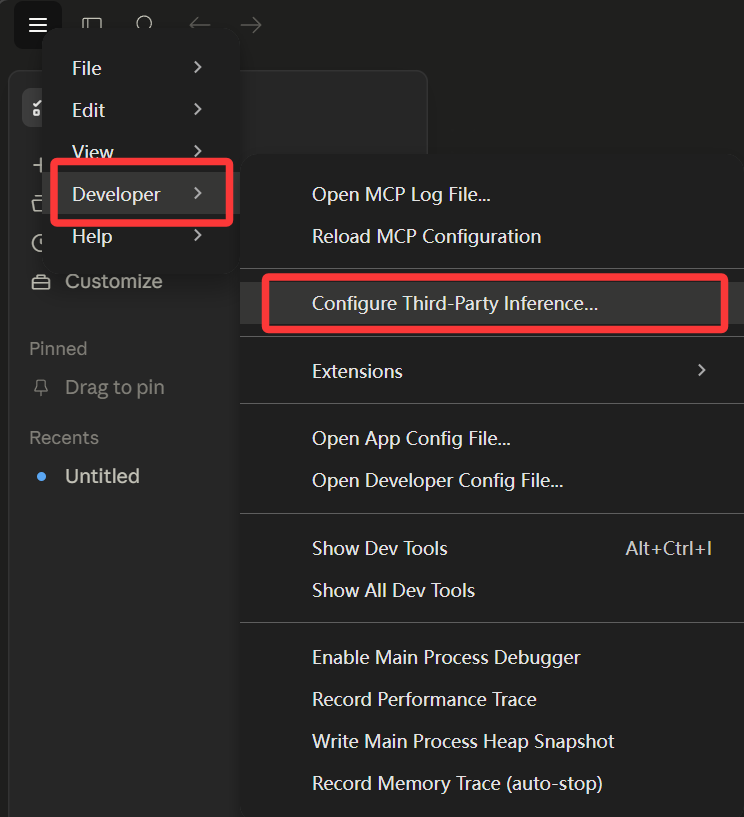
2.配置第三方推理:Developer → Configure third-party inference
3. 配置第三方API接口
- Connection: Gateway
- Gateway base URL: http://127.0.0.1:11434
- Gateway API key: 随便填一个
- Gateway auth scheme: x-api-key
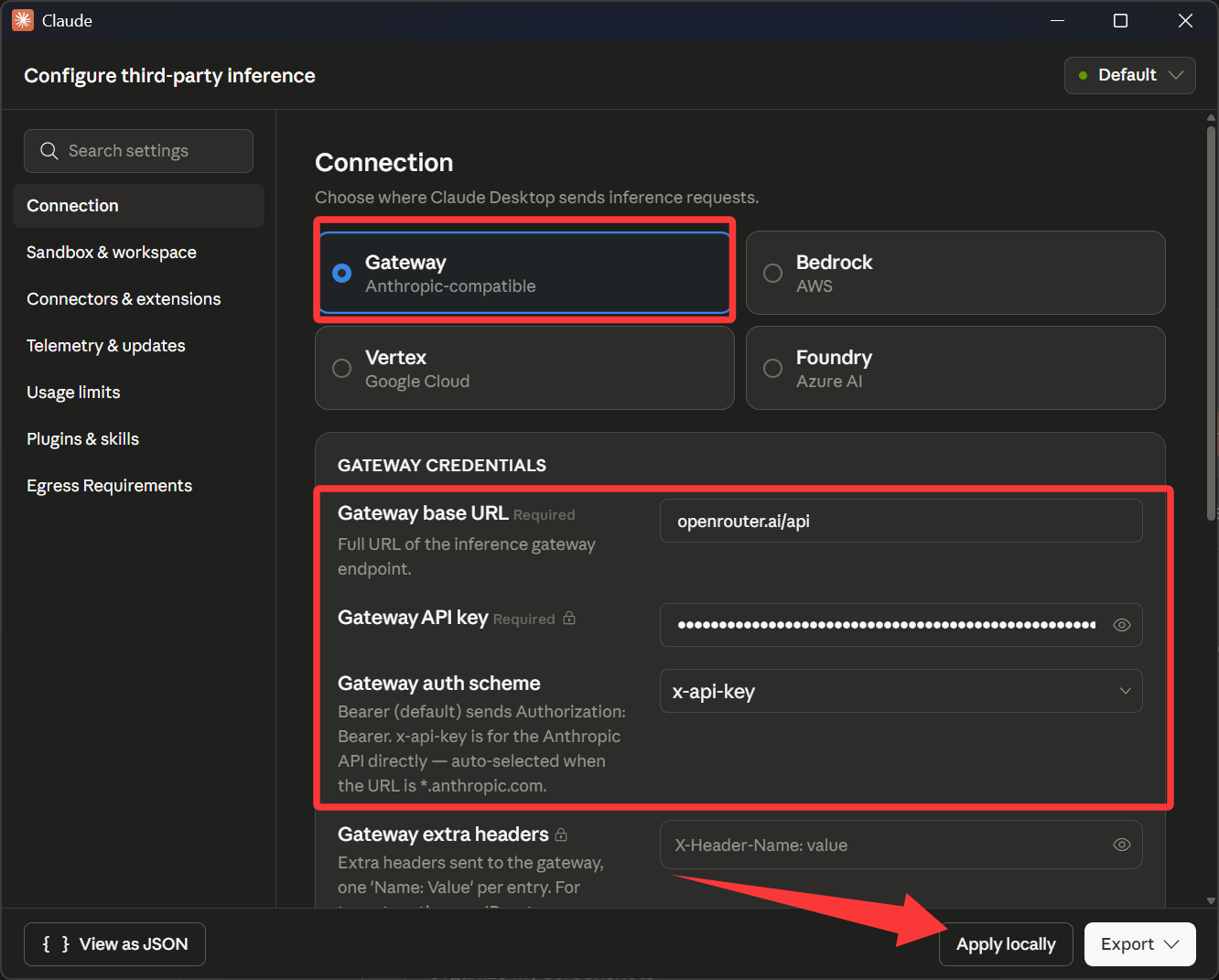
填好之后点击 Apply locally
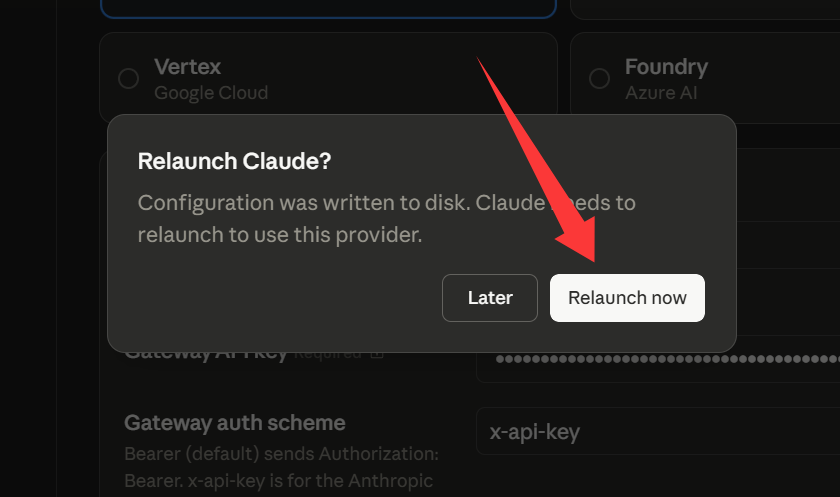
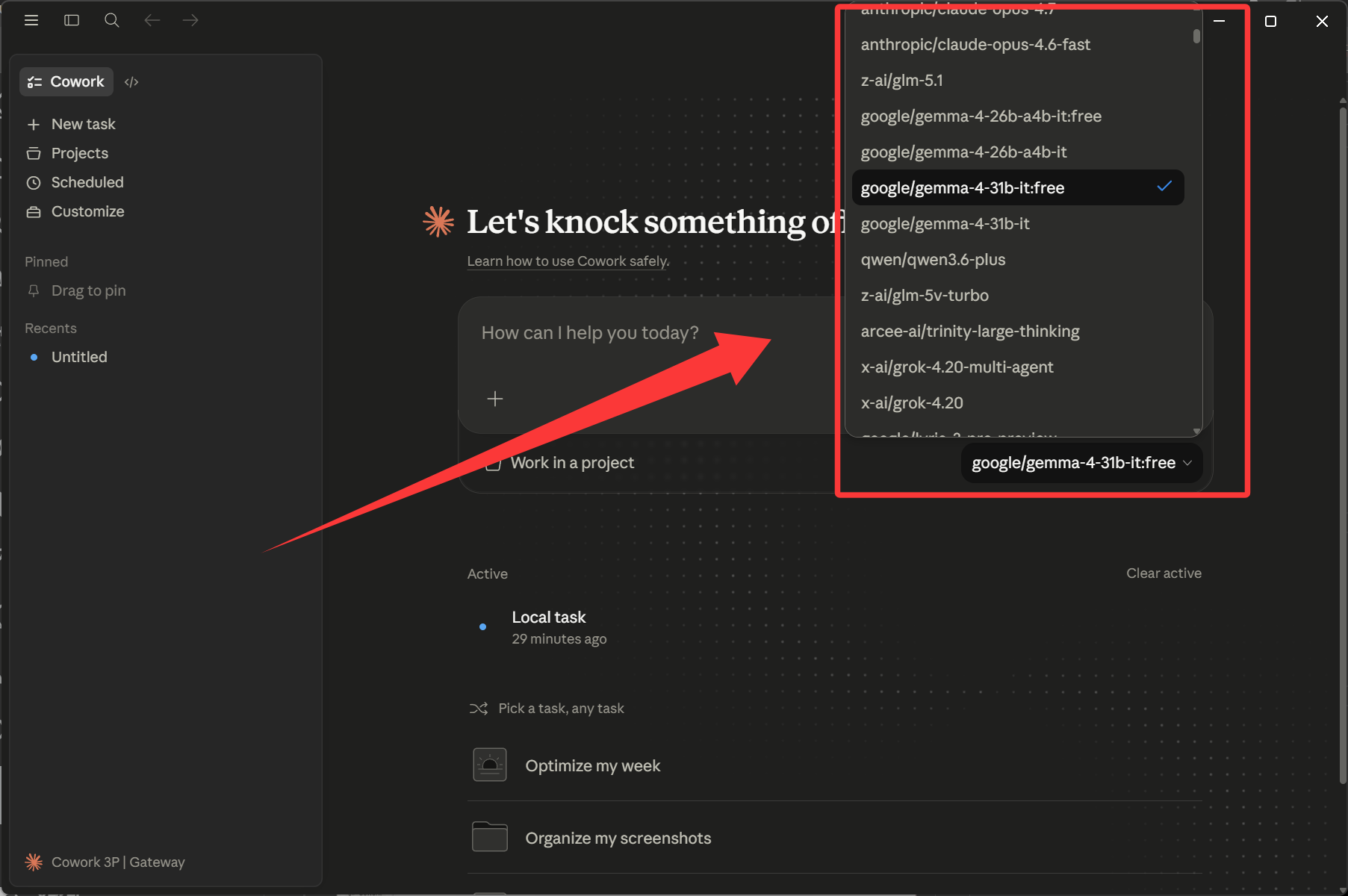
点击重启,然后就能看到下图的很多第三方大模型可以选择,有部分是免费的:

评论
发表评论